

The Ultimate Guide to Content Audits for Websites and Apps

Brandhero Team

Discover how content audits can clean up your website, boost SEO, and improve user experience. Learn the process, tools, and benefits of regular audits.
Content audit. Two words that sound like something a consultant invented to pad their invoice. But if you run a website or an app, this might be the most useful thing you do all year.
Think of a restaurant freezer. If the staff keeps shoving new ingredients in without ever throwing the old stuff out, you end up with a mess. Some things are fresh. Some things have been there since 2019. Most websites are that freezer. A content audit is just checking what’s inside before someone gets sick.
It’s a systematic review. You take inventory of every blog post, landing page, help doc, and forgotten "About Us" page. Then you decide if it stays or goes.
Why do it?

Most companies hoard digital content. They keep adding new pages without ever cleaning up the old ones. The result is a confusing mess that annoys users and hurts your search rankings.
I’ve seen startups with hundreds of blog posts that nobody reads. SaaS companies with documentation for features they deprecated three years ago. E-commerce sites with five versions of the same product description. It’s a mess, and it costs money. Users can’t find what they need, so they leave. Search engines can’t figure out what you do, so they don’t rank you. Your team wastes time on the wrong things.
Sites that clean up this mess often see a 40% jump in organic traffic within six months. That’s not trivial.
What happens if you ignore it?
Search engines get confused. If you have ten pages targeting the same keyword, you’re competing against yourself. It's called keyword cannibalization. You end up with ten weak pages instead of one strong one.
Users lose trust. A blog post from 2020 making predictions about 2021 looks silly. A help article with screenshots from three versions ago frustrates people. They notice the dust.
You look sloppy. Broken links, outdated pricing, conflicting info it makes you look unprofessional. Users have other options. Why trust a company that can’t keep its own house in order?
You waste resources. You might be paying for ads that send traffic to a page that converts terribly. Or your team might be writing new content when an update to an old post would have been faster and more effective.
Types of audits
Not every audit needs to be a massive project.
Full Inventory: You catalog everything. Every page, every PDF. Do this if you’ve never done it or if your site has grown wild.
Focused Audit: You look at one section maybe just the blog, or the top 50 pages. Good for regular maintenance.
Competitive Audit: You look at what your competitors cover that you don't. This is about strategy, not cleanup.
SEO Audit: You focus on search performance rankings, keywords, backlinks.
Conversion Audit: You look at business outcomes. Which pages lead to sales? Where do people drop off?
You’ll probably want a mix. But don't try to do everything at once. Pick the one that solves your most pressing problem.
The process

1. Define your goals
Before you open a spreadsheet, know why you're doing this. Do you want more traffic? Fewer support tickets? Better conversion rates? Your goal dictates what you measure.
2. Build the inventory
Time for a list. A long one.
For anything over 50 pages, use a crawler like Screaming Frog or Sitebulb. Don't do this by hand. You need a spreadsheet with the basics: URL, title, word count, date published, and traffic data. It’s tedious, but it’s the foundation.
3. Get the data
Add context. Pull numbers from Google Analytics and Search Console. You want pageviews, bounce rate, traffic sources, and conversion rate. If you use Ahrefs or SEMrush, add backlink data. This tells you which pages have authority you don't want to lose.
4. Make decisions
For each page, make a call.
Keep: It works. Leave it alone.
Update: It has potential but needs work.
Merge: You have three posts on the same topic. Combine them into one good one.
Redirect: The content is dead, but the page has links. Send the traffic somewhere useful.
Delete: It has no traffic, no links, and no value. Get rid of it. But be careful. When in doubt, redirect.
5. Find the gaps
You’ll notice what’s missing. Topics competitors cover. Questions your sales team hears constantly. Save these for later. Finish the cleanup first.
6. Make a plan
You now have a giant spreadsheet. Don't panic. Prioritize. Focus on high-traffic pages that perform poorly, important pages that are outdated, and keyword conflicts. Assign owners and deadlines. If you don't, it won't get done.
7. Do the work
This is where audits usually die. Everyone gets busy. Treat this like a real project. Check in weekly. Track the results to see what actually works.
Tools
Don't do this with just willpower.
Crawling: Screaming Frog is the standard. The free version works for small sites.
Analytics: Google Analytics and Search Console are free. Use them.
Performance: Clearscope or Surfer SEO help you see if a page is well-optimized.
Workflow: Google Sheets works for small projects. Airtable or Asana are better for bigger teams.
Common mistakes
I see the same errors constantly.
Overcomplicating it. You don't need 50 columns. Start simple.
Going it alone. You need buy-in. If marketing, product, and sales aren't aligned, your recommendations will stall.
Auditing without authority. Make sure you can actually make changes. Otherwise, you're just making a list for the trash.
Ignoring the unsexy stuff. Blogs are easy to audit. Your help docs and product pages probably need more help.
Deleting too fast. Unless it’s harmful, redirect. Don't just kill a page that has history.
Treating it as a one-off. Things change. Plan to do this once a year.
How often?
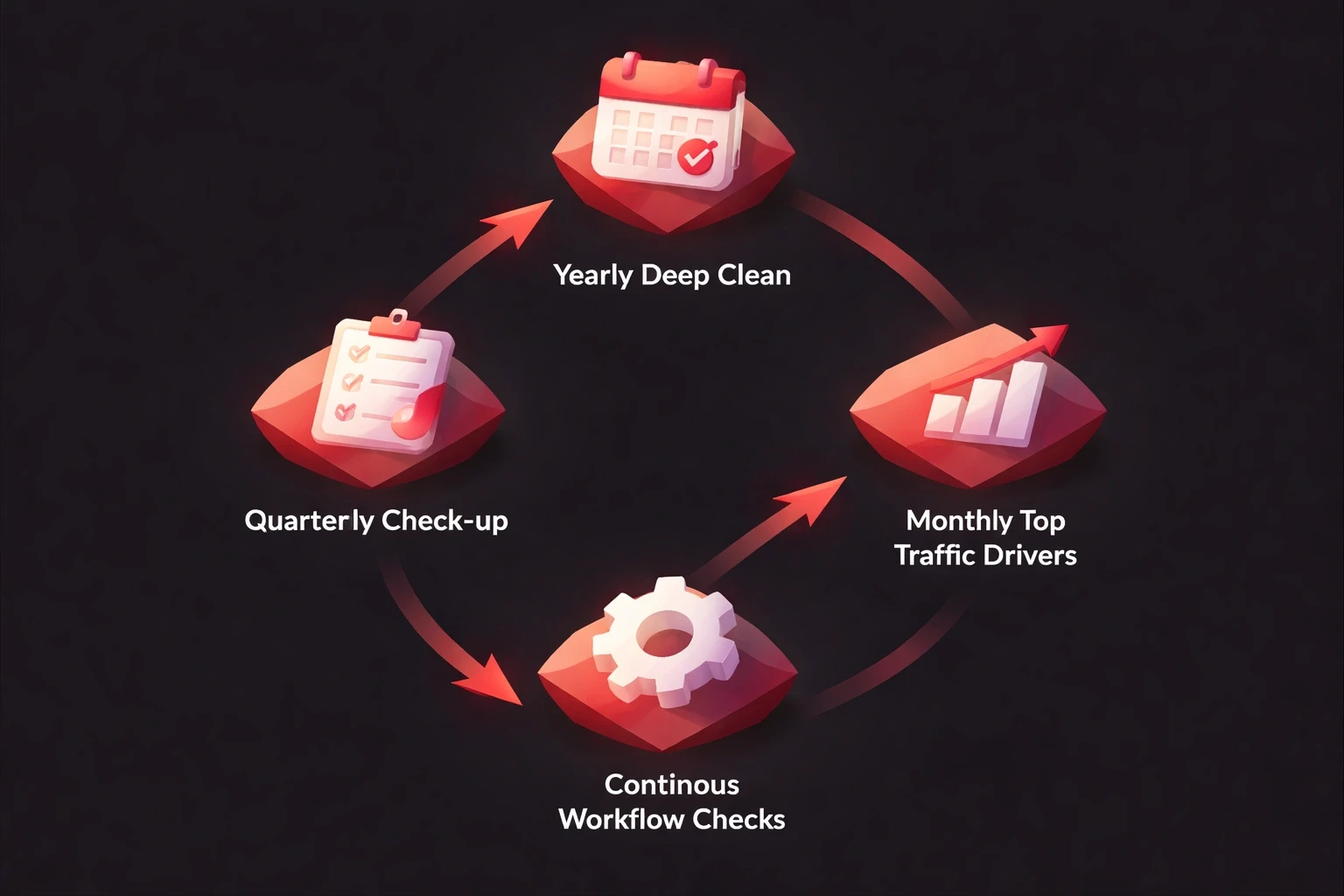
Once a year for a deep clean. Quarterly for a check-up on high-priority pages. Monthly for your top traffic drivers. If you publish a lot, build checks into your workflow. Before you write something new, check if it already exists.
Connecting it to design
This is where it gets interesting for UI/UX.
Content and design are tied together. You can't design an effective interface if you don't know what content goes in it. You can't write good content if you don't understand the design context.
This is why, at Brand Hero, we often start website projects with a content audit. You can't build a house without knowing what furniture needs to fit. You might find that 80% of your traffic goes to 10% of your pages. That tells you where to focus your design energy.
If you're planning a redesign, do the audit first. It might change your whole plan.
Does it pay off?
It takes time. For a 500-page site, expect 20-40 hours just for the audit. But the returns are real. Companies usually see a 30-40% traffic increase in 6 months, better conversion rates on updated pages, and fewer support tickets. You also get a clearer picture of what your audience actually cares about.
Quick starter guide
Crawl your site to get all URLs.
Pull traffic data from Analytics.
Make a spreadsheet.
Sort by traffic. Look at the top 20.
Ask: Is this accurate? Useful?
Decide: Keep, update, or kill.
Pick 3 priorities.
Assign them to someone.
Do it.
Schedule the next review.
Done is better than perfect.
When to get help
Sometimes you need an expert. Consider it if you have thousands of pages, you're migrating platforms, your traffic is tanking, or you just acquired another company's content. Agencies that do content strategy or SEO can speed this up. If you're redesigning, look for a team that understands both design and content. You're not just cleaning up you're building a foundation.
Content audits aren't glamorous. They're the digital equivalent of cleaning the garage. But your content is either an asset or a liability. There is no middle ground. You don't have to fix everything today. Pick your most important page. Make it better. See what happens. Then do the next one.
Explore all blogs

Jun 18, 2026
Enhancing Customer Service Through UX Design & Strategic Audits
Enhancing Customer Service Through UX Design & Strategic Audits

Jun 16, 2026
User Insights: Unlocking Design Decisions with Data
User Insights: Unlocking Design Decisions with Data

May 31, 2026
User Experience Optimization: Boost Conversion & Retention
User Experience Optimization: Boost Conversion & Retention

May 31, 2026
User Experience Optimization: Fixing Friction for Growth
User Experience Optimization: Fixing Friction for Growth

May 11, 2026
Phone Number Chunking: Reduce Errors & Improve Conversion Rates
Phone Number Chunking: Reduce Errors & Improve Conversion Rates

May 9, 2026
Mastering Gating in UI/UX Design: Convert Without Pushing
Mastering Gating in UI/UX Design: Convert Without Pushing

May 7, 2026
Gestalt Laws Explain Visual Grouping for Designers
Gestalt Laws Explain Visual Grouping for Designers

May 6, 2026
Checklist for Evaluating Microinteractions in UX
Checklist for Evaluating Microinteractions in UX