

Dark mode is supposed to be easier on the eyes, right? It's a little more complicated than that. It helps in some cases and hurts in others, depending on your vision, your lighting, and what you're actually doing on the screen. If you're designing mobile apps or enterprise software, these nuances matter. Your users aren't all the same, and their eyes aren't either.
The Mechanics: Why It Works (and Why It Doesn't)
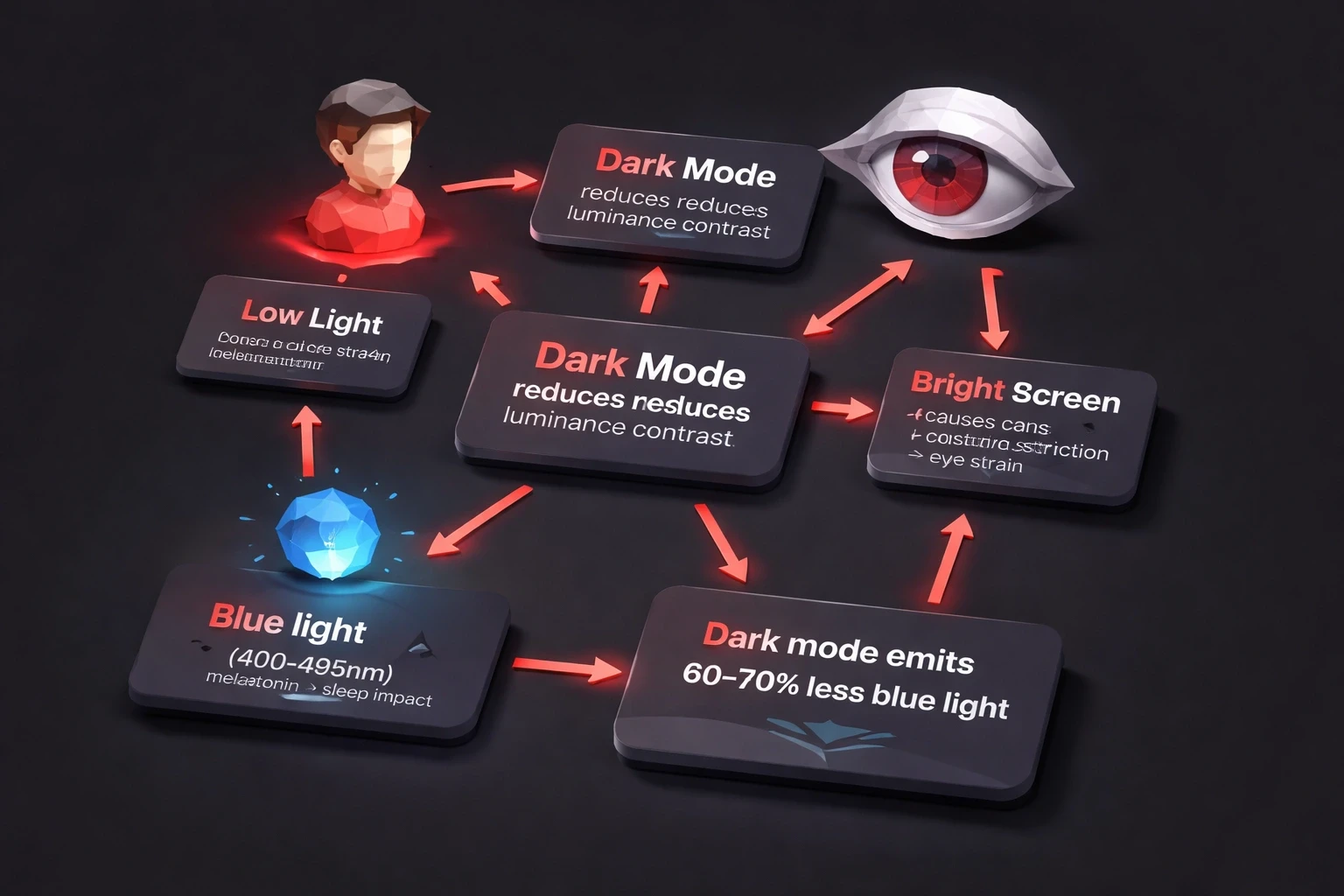
Dark mode cuts eye strain in low light. That's the simple part. It lowers the luminance contrast between your screen and the room around you. When your pupils dilate in a dark room, a bright white screen forces them to constrict rapidly that's the strain you feel. Dark interfaces keep things stable.
There's also the blue light factor. Wavelengths between 400-495nm suppress melatonin production, which messes with sleep. Dark mode interfaces emit 60-70% less blue light than standard white backgrounds. The American Academy of Ophthalmology suggests this matters most after 8 PM, when natural melatonin production kicks in.
But here's where it gets messy. If you have astigmatism which is roughly 50% of adults white text on black creates a "halation effect." The letters bleed light into the dark background. It looks fuzzy. That's why dark mode feels "harder to read" for a lot of people, even though it's technically dimmer.
And if you're over 45? Presbyopia reduces contrast sensitivity. Aging eyes need more contrast to distinguish letterforms, not less. Black text on white (positive polarity) often reads better for this group, no matter the lighting.
So When Does Dark Mode Actually Help?
Dim rooms and night use. Studies show a 15-20% reduction in reported eye fatigue during evening use compared to light mode. If you're building UI/UX for digital products, think about automatic theme switching based on time or ambient light sensors.
OLED screens. True black pixels consume zero power. On mobile-first experiences like financial apps, that's a tangible battery savings 30-40% in some cases beyond just comfort.
Long reading sessions. Users reading for over 45 minutes in controlled environments tend to prefer dark interfaces. News readers, documentation sites, messaging apps see higher engagement when they offer a choice.
Light sensitivity. For people with photophobia, migraines, or those recovering from eye surgery, dark mode isn't a preference it's an accessibility requirement. Offering theme controls is part of human-centered UX.
When Light Mode Wins
Bright daylight conditions favor light mode. If you're outside or in a well-lit office, screen reflectivity kills dark interface legibility. You end up cranking the brightness anyway, negating the whole point.
Tasks requiring color accuracy or fine detail photo editing, proofing work better in light mode. Your cone cells need adequate light to discriminate colors properly. Studies show a 12-18% improvement in color discrimination under adequate lighting compared to low-light (scotopic) conditions.
Reading comprehension is another one. For documents over 1,000 words, black text on white yields 5-8% better retention. Proofreading performance is even more pronounced. It's easier to catch errors in positive polarity.
Age matters here too. For products targeting users over 50, light mode should probably be the default. Check out something like YogaVision demographic considerations should drive interface decisions, not just trends.
How to Design for Dark Mode (Without Making It Worse)
Don't just invert colors. That's lazy and it looks terrible.
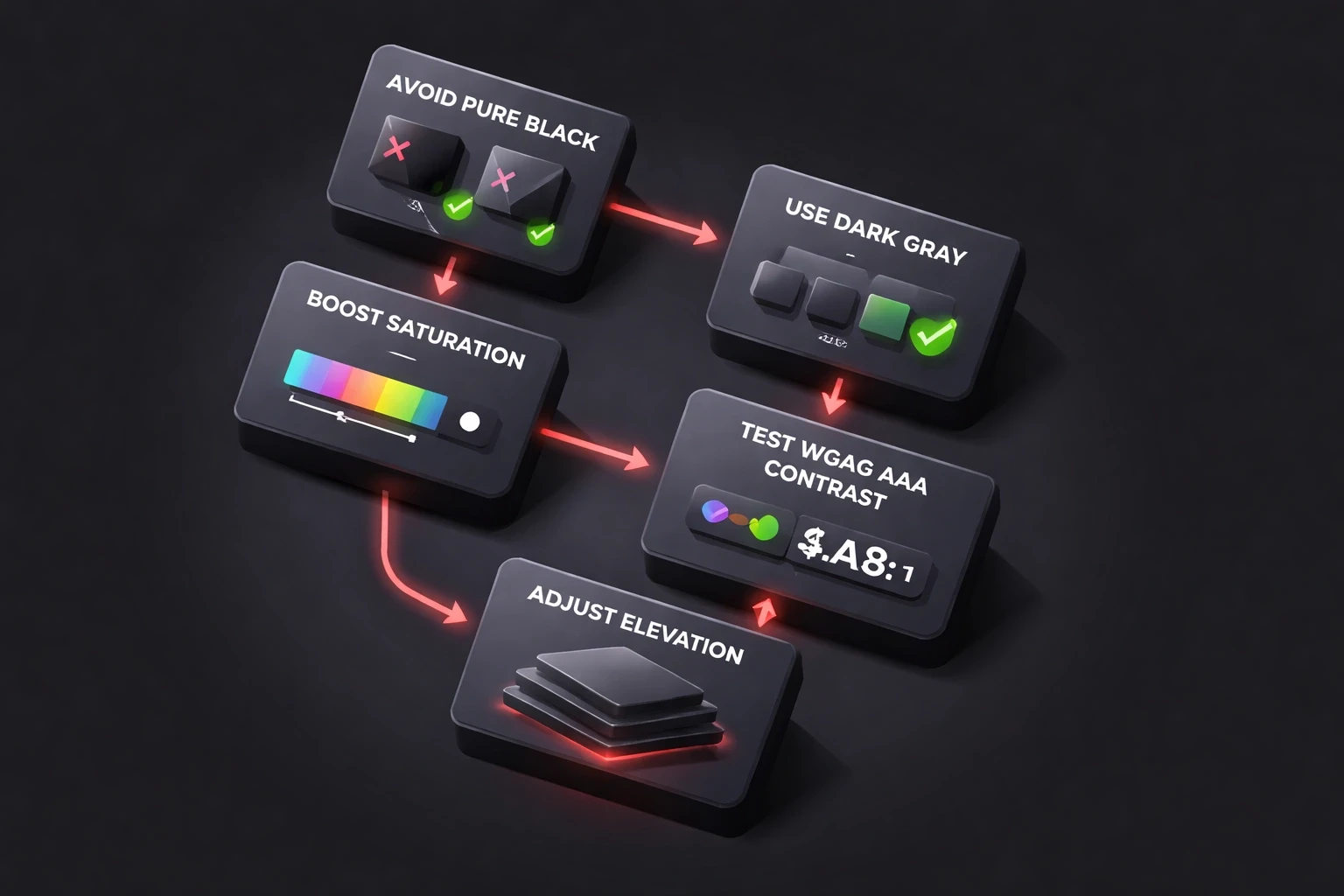
Skip the pure black. #000000 creates too much contrast, causing halation. Use dark grays like #121212 to #1E1E1E instead. Google's Material Design guidelines have this right a 15% gray reduces strain while keeping the "dark" feel.
Don't invert colors blindly. Reds and oranges get muddy on dark backgrounds. Boost saturation by 10-15% and shift the hue slightly to maintain visual hierarchy. Test for WCAG AAA contrast ratios (7:1 minimum for text) while you're at it.
Elevation works backwards in dark mode. In light mode, shadows create depth. In dark mode, elevated surfaces get lighter. Cards should be #1E1E1E against a #121212 background, not just a drop shadow. You see this done well in modern B2B interfaces.
Build adaptive color systems. Create semantic tokens that shift per theme. A primary button might be #0066FF in light mode but #4D94FF in dark mode. Same perceptual brightness, different hue.
Respect the system setting. Use prefers-color-scheme in CSS. If a user has their OS set to dark, your app should probably follow suit unless you have a compelling reason not to.
The Biological Reality Check
Here's the thing: eyes evolved for reflected light, not emitted light. Neither screen mode is "natural." Both create artificial viewing conditions your visual system has to accommodate.
And neither mode fixes the fundamental problem. Blink rate drops about 60% during screen use regardless of theme. That causes dryness. The 20-20-20 rule every 20 minutes, look 20 feet away for 20 seconds matters more than your color palette.
Individual variation is huge. Some people see better in dark mode due to specific refractive errors. Others get headaches within minutes. I've watched designers fight about this. Forcing one option creates friction. Choice matters.
Does It Even Matter?
User testing: Test both themes with real people doing actual tasks for 30+ minutes. Measure completion times and error rates. Watch if users crank up brightness in dark mode that's a bad sign.
Analytics: Track theme adoption. If dark mode users have 15% shorter sessions, figure out why. Compare conversion rates across themes.
Accessibility audits: Run contrast checkers on both. Check that color-coded info is still distinguishable. Test with simulated vision conditions cataracts, color blindness, low vision.
Performance: On mobile, measure battery drain. See if dark mode actually delivers the efficiency gains you promised.
The Adoption Numbers (and Why They're Misleading)
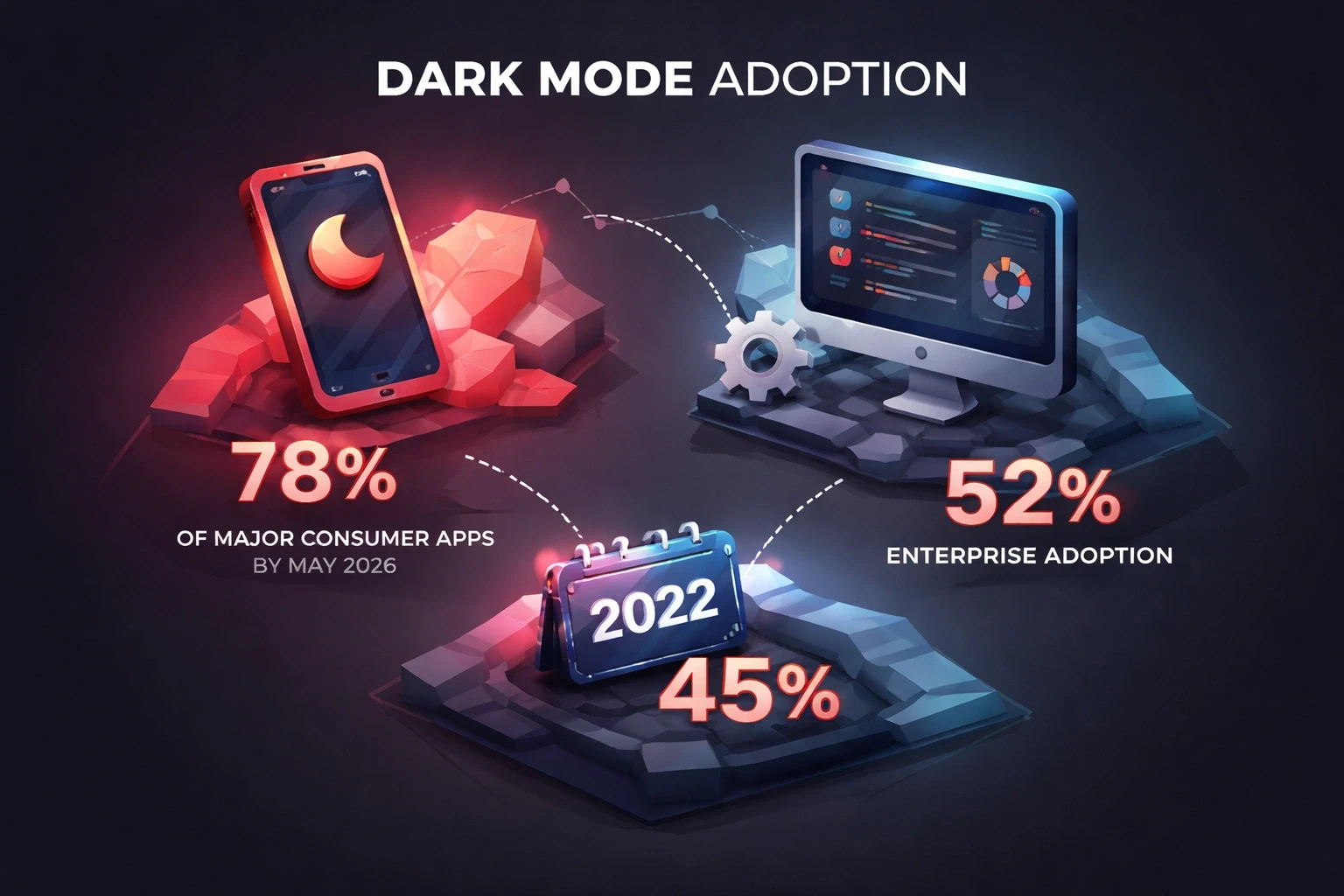
By May 2026, about 78% of major consumer apps will offer dark mode, up from 45% in 2022. Enterprise software lags at 52% legacy systems resist theming architecture. Professional tools often default to light mode because people use them for detail work in daylight offices.
Apple, Google, and Microsoft now ship dark mode specs as standard. Figma generates variants automatically. The tooling is there.
But here's the catch: novelty distorts the stats. Many users enable dark mode, try it for a week, and switch back when they realize it's harder to read. Persistent dark mode usage stabilizes around 35-40% across demographics. Younger users and developers stick with it more often.
Accessibility Isn't Optional
WCAG 2.2 doesn't mandate dark mode, but it requires sufficient contrast in whatever theme you ship. A dark mode with 3:1 contrast ratios fails harder than a light mode meeting 7:1 standards.
Put the toggle somewhere obvious. Don't bury it three menus deep. Users with light sensitivity need it fast sometimes mid-session when migraine symptoms hit.
Better yet: offer automatic switching based on ambient light sensors or time of day. iOS and Android expose these APIs. It works. We saw this succeed with community platforms where usage contexts varied wildly.
It's Not Just About Eyes
Dark mode has cultural weight. Developer tools, creative software, and gaming platforms lean dark for brand reasons, not eye comfort. It signals "professional" in those contexts.
Regional differences exist too. Asian markets retain light mode more often complex characters need higher contrast. Latin alphabets handle reversed polarity better than character-based systems.
And sometimes it's just taste. Some people find dark mode depressing. Others can't focus. User psychology around color and mood drives theme preference as much as biology.
What Should You Actually Do?
Default to light mode unless you're building dev tools, entertainment apps, or something designed for late-night use. Add dark mode as a real feature, not a checkbox. Bad dark mode implementation hurts credibility more than having no dark mode at all.
Test with real people in their actual environments. Watch them use it at night. See how they hold their phones. Ask them what feels off.
Build flexibility into your branding system. That vibrant orange logo on white might look garish on charcoal. You need adaptive assets from the start.
Keep the layout consistent. Only color should change. If your interface shifts structure between themes, users get disoriented. They expect the same product, just rendered differently.
The Bottom Line
There is no universal answer. Dark mode helps if you're under 40, have good eyesight, and are reading in a dark room on an OLED screen after 8 PM. It hurts if you're older, have astigmatism, or are working in bright daylight.
The real question isn't "is dark mode better?" It's "does dark mode help my users in their context?" You have to know who uses your product, when, where, and for what. Generic advice ignores individual variation.
Eye strain comes from screen distance, brightness, blink rate, and duration more than color scheme. Offer choice. The most eye-friendly interface adapts automatically shifting themes based on time and environment while letting users override it. That flexibility mirrors how our visual system actually works. Support human adaptability. Don't force uniformity.