

Open-Ended Questions in User Research: The Complete Guide
Brandhero Team
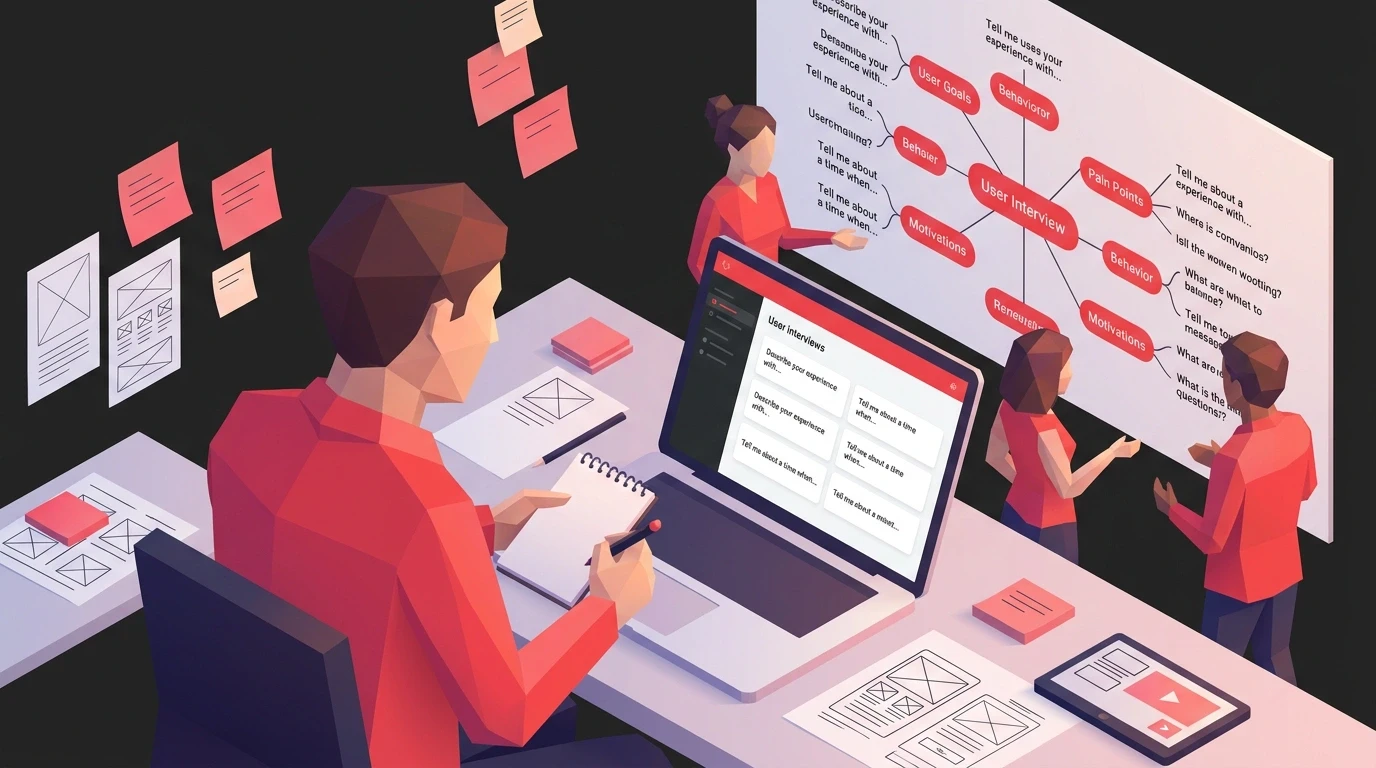
Open-ended questions in user research reveal what closed surveys miss. Get the framework, examples, and templates to run sessions that surface real insight.
Open-Ended Questions in User Research: The Complete Guide
Open-ended questions in user research are questions that can't be answered with "yes," "no," or a single word, designed to let users describe experiences, frustrations, and goals in their own language instead of choosing from options you predetermined. They are the difference between collecting opinions and collecting usable insight.
Knowing when to use them and how to frame them is what separates useful insights from a pile of vague quotes you can't act on. We've covered why closed questions limit discovery sessions before. This guide builds on that: it's about constructing open-ended questionnaires that reveal what users actually think, not what they think you want to hear.
Why Do Open-Ended Questions Work Better Than Closed Questions?

Open-ended questions work better because they don't force users into boxes you defined in advance. A yes/no question like "Do you like this feature?" misses the nuance that someone likes the idea but hates the execution, or appreciates one part while struggling with another. An open question lets that nuance surface on its own.
Closed surveys fail for a specific reason: they can only confirm or deny a hypothesis you already had. Open questionnaires flip this. They leave room for users to describe experiences in their own words, which means you surface things you didn't think to ask about in the first place.
At Brandhero Design, we've watched this play out repeatedly. For our work with Vahan, we needed to understand how gig workers talked about financial challenges. What they told us through open questions, not multiple choice, shaped a bilingual interface that boosted task completion by 42%. That doesn't come from checkboxes.
Open-ended questions typically surface:
Problems you didn't know existed
Mental models that clash with your assumptions
Context that numbers miss entirely
The actual language users use when describing problems
What Makes an Open-Ended Question Effective in User Research?
An effective open-ended question is genuinely unanswerable in one word, doesn't hint at the answer you want, is specific enough to anchor the response, and asks about something the person has actually done rather than something hypothetical. Miss any one of these and you get either a one-word reply or an unfocused ramble.
It's Actually Open
If someone can answer with "yes," "no," or a single word, it's not really open. "What challenges do you face when…" works. "Is it challenging when…" doesn't.
It Doesn't Telegraph the Answer
"How do you currently handle invoicing?" is genuinely open. "Don't you find traditional invoicing frustrating?" is a lecture in question form.
It's Specific Enough to Be Useful
Too broad and you get rambling. Too narrow and you get single-word answers. "Tell me about the last time you tried to complete a purchase on mobile" gives context while leaving room for a genuine response.
It Probes Behavior, Not Hypotheticals
People are bad at predicting what they'll do. They're decent at describing what they've already done. "Walk me through your morning routine using productivity apps" beats "Would you use a productivity app in the morning?" every time.
It's Anchored in Real Experience
"Describe a recent situation where…" produces richer data than "What do you think about…" because it pulls a specific memory instead of inviting a general, often rehearsed, opinion.
Here's the same intent phrased as a closed question versus an open one, side by side:
Closed version | Open version |
|---|---|
Do you like this feature? | What's your reaction to this feature, and why? |
Is checkout confusing? | Walk me through your last checkout experience. |
Would you use a daily planner tool? | Tell me about how you currently plan your day. |
Is the navigation clear? | How would you describe finding your way around this app? |
These principles shaped our approach when redesigning The Product Folks community platform. Understanding actual engagement patterns told us more than asking about preferences ever could.
How Do You Structure an Open-Ended Questionnaire?
A good open-ended questionnaire follows an arc of five phases: warm-up questions, current-state exploration, a deep dive into your specific design challenge, an emotional and motivational layer, and a closing section. Each phase has a different job, and skipping one usually means missing a category of insight entirely.
Phase 1: Opening Questions (5-10 minutes)
Start with questions that feel like conversation, not interrogation.
Background and context:
"Tell me a bit about your role and what a typical day looks like."
"How did you first start using [product category]?"
"What brings you to [specific task/goal] today?"
These relax participants into conversation mode while giving you context for later responses. When we work with clients through our UI/UX design process, we always start with contextual questions. They reveal the ecosystem around user needs.
Phase 2: Current State (15-20 minutes)
Now dig into existing behaviors, pain points, and workarounds. You're trying to understand present reality without judging it.
Behavioral exploration:
"Walk me through your process for [completing specific task]."
"What tools or methods do you currently use to accomplish [goal]?"
"Describe a recent time when [relevant situation]. What happened?"
"How do you decide when to [take particular action]?"
Pain point discovery:
"What parts of that process feel most frustrating or time-consuming?"
"Tell me about a time when [product/service] didn't work the way you expected."
"What workarounds have you developed to handle [specific challenge]?"
"If you could change one thing about how you currently [task], what would it be?"
These questions formed the foundation of our Talent500 brand and UX work. Understanding enterprise hiring workflows revealed opportunities we wouldn't have found otherwise.
Phase 3: Deep Dive (15-25 minutes)
Now zoom into areas most relevant to your design challenge. Tailor this section to your specific objectives.
Feature-specific:
"How would you describe [specific feature] to a colleague who hasn't used it?"
"What do you expect to happen when you click/tap [element]?"
"Tell me about your experience using [specific functionality]."
Comparative:
"How does this compare to other tools you've used for [purpose]?"
"What does [competitor product] do better? What does this do better?"
"When do you choose [option A] versus [option B]?"
Scenario-based:
"Imagine you need to [accomplish specific goal] under time pressure. How would you approach it?"
"If you were training someone new to use this, what would you tell them?"
"What would need to change for you to use this feature daily?"
This targeted exploration proved essential in our Devtron platform work. Understanding developer mental models around Kubernetes deployment shaped our entire information architecture.
Phase 4: Emotional and Motivational Layer (10-15 minutes)
Behavior and cognition only tell part of the story. Emotional responses and motivations provide context that shapes design decisions.
Emotional response:
"How did you feel when [specific experience]?"
"What would make you excited to use this every day?"
"Describe a moment when this product made you feel successful."
"What frustrates you most about [current process]?"
Motivation and value:
"What outcome are you ultimately trying to achieve when you use this?"
"Why does [specific capability] matter to your work?"
"What would success look like for you three months from now?"
"If this product disappeared tomorrow, what would you miss most?"
Understanding emotional drivers became central to our YogaVision mindfulness platform design. User wellbeing goals shaped every interaction.
Phase 5: Closing Questions (5-10 minutes)
End by looking forward and giving participants space to share anything you missed.
Aspirational:
"If you could design the perfect solution for [problem], what would it include?"
"What capabilities would transform how you approach [task]?"
"How do you imagine [activity] evolving over the next year?"
Reflection:
"What haven't I asked that you think is important?"
"Is there anything about your experience that surprised you as we talked?"
"What advice would you give someone designing [product type] for users like you?"
These closing questions often surface unexpected insights because they break from structured questioning. We saw this during our Steer automotive tech research.
How Do You Adapt Open-Ended Questions for Different Research Contexts?

You adapt open-ended questions by adjusting for whether research is moderated or unmoderated, and by adjusting vocabulary and framing for the user segment you're talking to. The five-phase framework above is a foundation; the delivery details change depending on who's answering and how.
Remote Unmoderated Research
When participants complete questionnaires independently, adjust your approach.
Provide more context: You can't clarify confusion in real time, so each question needs clear framing. Add brief explanations of why you're asking.
Use progressive disclosure: Start simple before going complex. Build confidence through easy wins before requesting detailed narratives.
Include examples: Show what "good" responses look like without leading. "For example, you might describe the steps you took, what you were thinking, and what happened next."
Add skip logic: Let participants bypass irrelevant sections. "If you've never used [feature], skip to question 12."
This approach informed our mobile-first corporate training app design. Asynchronous user feedback shaped our MVP scope.
Moderated Interview Sessions
Live conversations let you follow up dynamically.
Prepare probes: For each main question, have 2-3 follow-up prompts ready. "Tell me more about that," "What happened next?" or "Why do you think that occurred?"
Listen for tangents: Sometimes the best insights come when participants go off-script. Your questionnaire is a guide, not a cage.
Adapt sequencing: If a participant naturally brings up later topics, explore them in the moment rather than rigidly following your structure.
Read body language: In video or in-person sessions, nonverbal cues signal when to dig deeper or move on.
Our approach to conversational AI interface design relied on moderated sessions where we could explore emotional responses to AI personality in real time.
Specialized User Segments
Different audiences need different approaches.
Technical users: Use appropriate jargon and focus on workflow efficiency, technical constraints, and integration points. Ask about edge cases and error handling.
Non-technical users: Skip the jargon. Focus on goals over methods. Ask about feelings and outcomes more than technical processes.
Executives: Respect time constraints. Focus on strategic impact, business outcomes, and decision-making criteria rather than detailed task flows.
Domain experts: Leverage their expertise with "why" and "how might" questions that invite professional judgment rather than just experience reports.
This segmentation proved critical in our B2B manufacturing client work. Speaking to engineers, procurement specialists, and executives required distinct questioning strategies.
What Are Common Mistakes When Writing Open-Ended Questions?
The five most common mistakes are leading questions, double-barreled questions, hypothetical overload, embedded assumptions, and jargon. Each one quietly turns an open question back into a closed one by steering the respondent toward a predetermined answer.
The Leading Question
Problem: "Don't you think it would be better if…" suggests your preferred answer.
Fix: "How might this be improved?" or "What alternatives have you considered?"
The Double-Barrel Question
Problem: "How do you feel about the design and the navigation?" asks two things at once. You get ambiguous responses.
Fix: Separate them. "What's your impression of the visual design?" Then "How would you describe the navigation experience?"
Hypothetical Overload
Problem: "If we built feature X with capability Y, would you use it?" People are terrible at predicting future behavior.
Fix: Ground in reality. "Tell me about the last time you needed to [accomplish goal]. How did you handle it?" Then explore what would have helped.
The Assumption Embed
Problem: "How often do you struggle with the checkout process?" assumes struggle exists.
Fix: Start open. "Describe your typical checkout experience" and let them introduce problems if they exist.
Jargon Overload
Problem: "How do you leverage our API to optimize your workflow?" confuses users unfamiliar with technical terms.
Fix: Use the language your users actually speak. If you're unsure, ask them to describe something first to hear their vocabulary.
Our case studies section shows how avoiding these pitfalls leads to insights that actually transform products.
How Do You Analyze Open-Ended Research Responses?
You analyze open-ended responses by capturing raw notes immediately after each session, then running a structured thematic analysis: familiarize yourself with all the data, code individual responses, group codes into themes, validate those themes against the raw transcripts, and translate each theme into a specific design implication.
Immediately After Each Session
Capture raw data: Record verbatim quotes that exemplify key points. These authentic voices matter when you present findings.
Note observations: Beyond what participants said, document tone, hesitations, and nonverbal cues.
Flag surprises: Mark unexpected responses or patterns that contradict assumptions. These often reveal the best opportunities.
Identify follow-up needs: Note areas requiring deeper exploration in subsequent research.
Thematic Analysis
1. Familiarize: Read through all responses multiple times before coding. Let patterns emerge rather than forcing preconceived categories.
2. Initial coding: Tag responses with descriptive labels. "Frustrated with onboarding," "Workaround for export," "Values speed over features."
3. Theme development: Group related codes into broader themes. Multiple codes about confusing terminology might become "Mental Model Mismatch."
4. Validation: Review themes against raw data to ensure they represent participant experiences, not researcher bias.
5. Pattern identification: Look for themes that appear consistently across participants, and meaningful variations by segment.
This structured approach to turning open-ended answers into decisions is also where unlocking design decisions with user data becomes a repeatable practice rather than a one-off exercise.
Turning Themes into Action
Raw themes need translation into design implications:
From: "Users struggle with terminology"
To: "Replace jargon with plain language in navigation labels and introduce terms gradually through contextual help"
From: "Participants value speed"
To: "Prioritize reducing steps in primary workflows and provide status indicators during processing"
From: "Mobile context creates interruptions"
To: "Implement auto-save and allow resume from any step; optimize for one-handed interaction"
This translation process connects research directly to design decisions.
When Should You Use Open-Ended Questions in the Design Process?

Open-ended questions belong in every phase of the design lifecycle, not just the initial discovery interview: discovery, concept validation, usability testing, and post-launch each need a different focus for the open questions you ask.
Discovery Phase
Use broad open questionnaires to understand user context, current solutions, pain points, and goals.
Focus: Context, current behavior, frustrations, motivations, mental models.
Concept Validation
Deploy targeted questionnaires around specific concepts or prototypes.
Focus: Reactions to concepts, expected functionality, perceived value, comparison to alternatives.
Usability Testing
Task-based testing dominates this phase, but open questions provide essential context for why users behave as they do.
Focus: Expectation vs. reality, decision-making rationale, emotional responses, improvement suggestions.
Post-Launch
After release, open questionnaires reveal real-world usage patterns and evolution needs.
Focus: Actual behavior patterns, new pain points, feature request rationale, satisfaction drivers.
Our work across industries demonstrates this approach.
What Are Some Open-Ended Question Templates You Can Use?
Below are three ready-to-use templates covering the three moments teams most often need open-ended questions: new product discovery, feature evaluation, and usability test follow-ups. Swap the bracketed placeholders for your specific product or feature.
New Product Discovery Template
Tell me about your current approach to [problem domain]. What does that look like day-to-day?
What tools or methods do you currently rely on? How did you choose them?
Walk me through the last time you needed to [achieve key goal]. What happened?
What aspects of your current approach work well? What's frustrating?
Describe an ideal solution for [problem]. What would it enable you to do?
What concerns would you have about trying a new approach to [problem]?
How does [problem] impact your broader work or goals?
What would convince you that a new solution is worth adopting?
Feature Evaluation Template
In your own words, what do you think [feature] is designed to help you accomplish?
Describe a situation where you might use [feature]. What would trigger you to use it?
Walk me through how you'd expect [feature] to work.
How does this compare to similar capabilities in other tools you use?
What questions or concerns come to mind about [feature]?
What would make [feature] more useful for your needs?
How would you explain [feature] to a colleague?
Usability Testing Follow-Up Template
What was your overall impression of that experience?
Tell me about your thought process when [specific moment during task].
What did you expect to happen when you [action]? What actually happened?
Describe the most confusing or frustrating moment. Why was that challenging?
What worked well during the task?
If you could change one thing about that experience, what would it be?
How does this compare to similar tasks in other products you use?
Customize these for your objectives and user context.
How Do You Measure the Impact of Open-Ended Research?
You measure impact by tracing specific insights to the design decisions they influenced, quantifying the cost of mistakes avoided through early validation, and tracking the same metrics before and after a research-informed change ships. Qualitative research earns its budget when you can draw a straight line from a quote to a result.
Track Research-to-Design Connections
Document which insights influenced specific decisions. When those features ship, you can trace business impact back to research origins.
Example: "Open question research revealing users' terminology preferences led to navigation restructure, resulting in a measurable reduction in support tickets about finding features."
Quantify What You Avoided
Calculate what you sidestepped through early validation. Discovering misaligned concepts through questionnaires costs far less than building the wrong product.
Example: A handful of user interview sessions that reveal concept misalignment before development can avoid weeks of wasted engineering time on the wrong feature.
Monitor Longitudinal Metrics
Compare baseline metrics before research-informed changes against post-launch performance: task completion rates, time-on-task, error rates, satisfaction scores, conversion rates.
Our guide to UX strategy and ROI walks through how these research investments translate into measurable business outcomes.
What Tools Help You Run Open-Ended Research?
The right tools depend on whether you're running remote unmoderated questionnaires, live interviews, or analyzing what comes back. Most teams need one tool from each category rather than one tool that does everything.
Remote Asynchronous Collection
Typeform/SurveyMonkey: User-friendly interfaces for open text responses.
Google Forms: Free, flexible option for straightforward questionnaires.
Airtable: Combines form functionality with database power.
Dovetail: Purpose-built for qualitative research with strong analysis features.
Live Interview Sessions
Zoom/Teams: Standard video conferencing with recording.
Lookback: User research-specific platform with participant management.
UserTesting: Combines moderated and unmoderated research.
Notion: Excellent for organizing questions, notes, and synthesis during interviews.
Analysis and Synthesis
Miro/Mural: Visual collaboration boards for affinity mapping.
Dovetail: Automated transcription and tagging.
Airtable: Flexible database for organizing coded responses.
NVivo/Atlas.ti: Professional-grade qualitative analysis software for complex projects.
Choose based on team size, budget, and research scale. For most UX projects, mid-tier tools provide sufficient capability without steep learning curves.
How Do You Build a Research Repository From Open-Ended Questions?
You build a research repository by archiving the complete questionnaires, anonymized responses, analysis artifacts, and the design decisions each study informed, then tagging everything by project, segment, and date so the next person on your team can find it without redoing the work.
What to Archive
Complete questionnaires: The actual questions asked, with context about objectives.
Anonymized responses: Raw data stripped of personally identifiable information.
Analysis artifacts: Themes, patterns, key quotes, synthesis documents.
Design implications: How insights translated into decisions.
Outcome data: Business metrics and user behavior changes post-implementation.
Organization Principles
Tag by project, user segment, research type, and date: Enable multiple access paths.
Link related artifacts: Connect questionnaires to prototypes, designs, and launch data.
Make searchable: Ensure team members can find relevant past research.
Review periodically: Revisit old insights when working on related features.
A well-maintained repository prevents redundant research, surfaces patterns across projects, and helps new team members understand user needs quickly, the approach we maintain in our own design process.
Frequently Asked Questions About Open-Ended Questions in User Research
What's the difference between open-ended and closed-ended questions in user research?
Closed-ended questions give users a fixed set of answers to choose from, like yes/no or a rating scale. Open-ended questions let users respond in their own words, which surfaces context, language, and reasoning that a fixed answer set can't capture. Most strong research plans use both, closed for metrics and open for the "why" behind them.
How many open-ended questions should a user interview include?
Most 45-60 minute sessions work well with 15-25 open-ended questions across the five phases: opening, current state, deep dive, emotional layer, and closing. Fewer questions asked well, with good follow-up probes, beats a long list rushed through without room to dig deeper.
Can you give an example of a good open-ended question for user research?
"Walk me through the last time you tried to complete [specific task]. What happened?" is a strong example because it's anchored in a real, recent memory rather than a hypothetical, and it can't be answered in one word. It invites a story, which is where the useful detail lives.
When should you avoid open-ended questions in research?
Avoid them when you need a quick, comparable metric across many respondents, such as satisfaction scores or feature usage frequency. Open-ended questions take longer to answer and analyze, so they're the wrong tool for large-scale quantitative surveys where closed questions and rating scales do the job faster.
Open-ended questionnaires are one of the most useful activities in UX design. The insights transform assumptions into understanding, generic solutions into tailored experiences, and product guesses into user-validated strategies.
Closed questions give you metrics and validation. Open questions give you the "why" that makes those metrics actionable. They reveal context, motivation, emotion, and mental models that quantitative data alone can't capture.
The users you're designing for have the answers. You just need to ask the right questions in the right way.
At Brandhero Design, we've refined open question methodologies across 200+ projects in 10+ countries. Whether you need support structuring your research strategy or want to see how user-centered design transforms digital products, explore our case studies or reach out to discuss your specific challenges.
Explore all blogs

Jun 18, 2026
Enhancing Customer Service Through UX Design & Strategic Audits
Enhancing Customer Service Through UX Design & Strategic Audits
Jun 16, 2026
User Insights: Unlocking Design Decisions with Data
User Insights: Unlocking Design Decisions with Data
May 31, 2026
User Experience Optimization: Boost Conversion & Retention
User Experience Optimization: Boost Conversion & Retention
May 31, 2026
User Experience Optimization: Fixing Friction for Growth
User Experience Optimization: Fixing Friction for Growth
May 11, 2026
Phone Number Chunking: Reduce Errors & Improve Conversion Rates
Phone Number Chunking: Reduce Errors & Improve Conversion Rates
May 9, 2026
Mastering Gating in UI/UX Design: Convert Without Pushing
Mastering Gating in UI/UX Design: Convert Without Pushing

May 7, 2026
Gestalt Laws Explain Visual Grouping for Designers
Gestalt Laws Explain Visual Grouping for Designers
May 6, 2026
Checklist for Evaluating Microinteractions in UX
Checklist for Evaluating Microinteractions in UX